
Corey
The Corey character flying in an up and left direction

AI for Microsoft 365 resilience that asks before it acts

AI for M365 resilience that asks before it acts

Book a demo

Powerful and granular guardrails constrain what Corey can do. Every action is audited and Corey always double checks with you before acting.
Circle with down arrow inside that once clicked takes you down to the next section on the web page.

The power of AI. Defined by guardrails.

Corey only has access to what you give it. You set the boundaries by user, group, department, or business unit. It never operates outside them.

See Corey in action

Corey surrounded by Microsoft 365 app logo - Entra, Intune, Defender, Exchange and Teams

Stop scripting. Start asking.

No more jumping between portals, studying documentation, and writing PowerShell. Just ask Corey for what you need. It shows you what it plans to do, and waits for your approval before taking action.

See Corey in action

Headshot image of Brian Posey - 22 times Microsoft MVP
It seems to have an answer for everything

No matter how you try to trip Corey up, it seems to have an answer for everything [...] All you need to do is ask Corey, and it will act for you without you having to jump through menus or read documentation.   

Brien Posey
x22 time Microsoft MVP
Headshot image of Frank J Ohlhorst - 3 times Microsoft MVP
4x your admin productivity in M365​

With Corey, I can manage 2,000 accounts in a day instead of 500. That’s the kind of multiplier this can have.​

Frank J Ohlhorst
x3 time Microsoft MVP

What Corey can do for your team.

Drive down MTTR
Become a M365 expert
Cut off attackers fast
Create custom reports
Reset user passwords
Fewer breaches

Drive down MTTR for Microsoft 365 admins

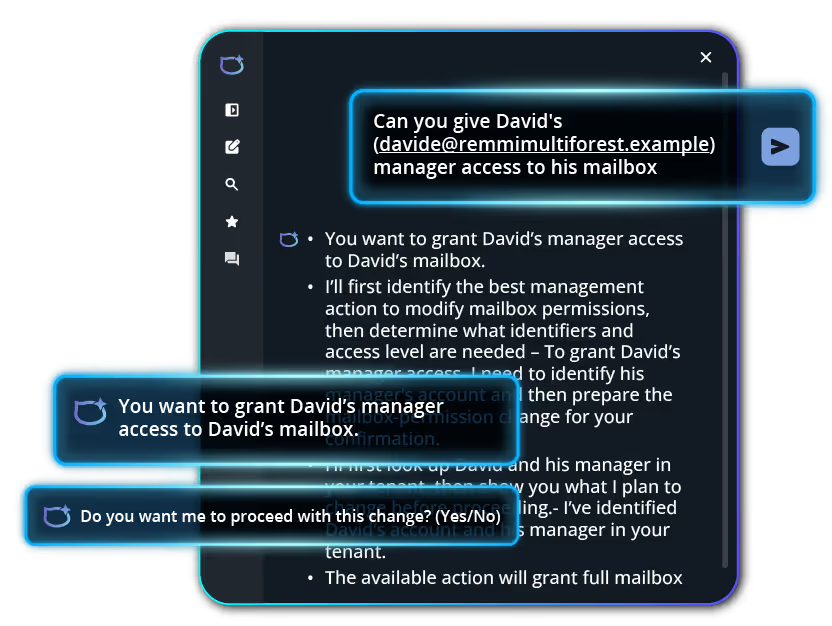
Corey AI dialogue box showing a prompt to request to give a user manager access to their mailbox
The complexity of Microsoft 365 kills helpdesk speed. Finding the right admin center, decoding a recent Microsoft update, writing a script just to answer a basic question. It all adds up before a single ticket gets resolved.

Corey cuts that friction. Admins ask for what they need, review what Corey plans to do, and approve it. No portal hunting, no script writing. Password resets, group management, account lockdowns, and license cleanup – all resolved without adding headcount.
See Corey in action

Make any admin a Microsoft 365 expert​

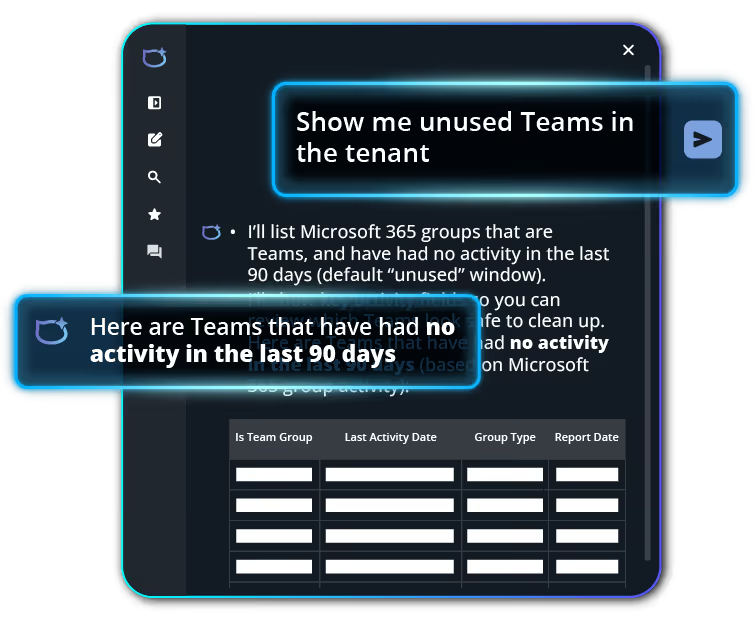
Corey AI dialogue box showing a prompt to request to show unused Team in the tenant
Every day, Microsoft 365 tickets get escalated to your most senior, most talented administrators – not because the work is hard, but because Microsoft 365 is.​​

Microsoft 365 has 18+ admin UIs, 10,000+ configurations, and 60+ apps and services. Most of your team can’t navigate all of it. So work piles up.

​​Corey changes that. Any admin can ask Corey to pull reports, manage users and groups, and handle routine tasks in plain language, without deep portal knowledge.​

See Corey in action

Generate custom reports in seconds, not weeks​

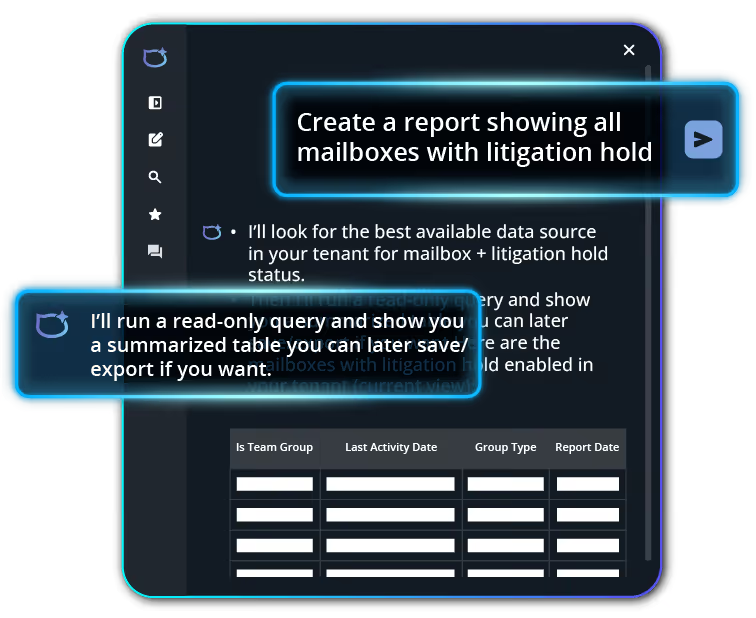
Corey AI dialogue box showing a prompt to request to create a report showing all mailboxes with litigation hold
Reporting in Microsoft 365 can take days - extracting tenant data with PowerShell, combining it in Excel and analyzing in PowerBi just to get a clear picture.

When you’re responding to an attack, preparing for an audit, or trying to get visibility of license usage ahead of a renewal, that wait time is a liability.​​

Corey produces reports based on exactly what you ask for. No scripts, no waiting.​

See Corey in action

Cut off attackers. FAST. ​

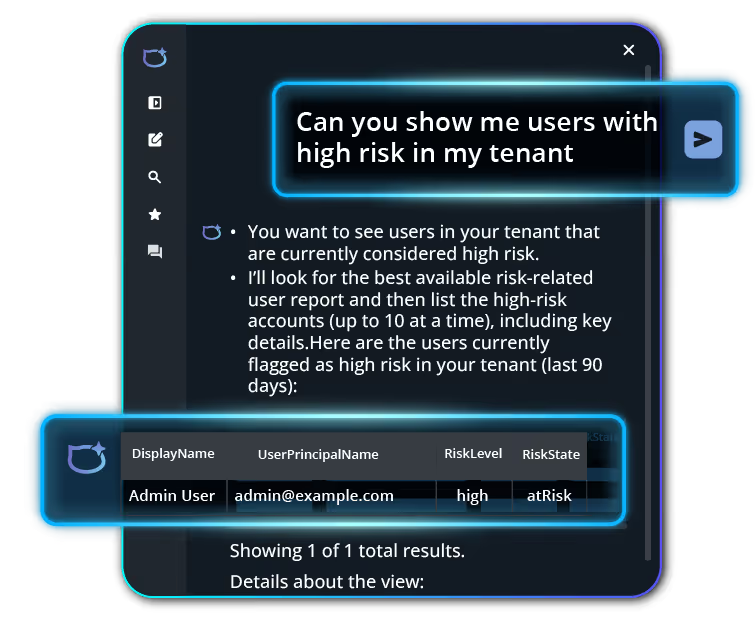
Corey AI dialogue box showing a prompt to request to show users with high risk in the tenant
When you're under attack, you don't have time to jump between portals or create customer reports.

Ask Corey to check for inactive users and and deprovision them, find admins without MFA, detect external users in security groups, and surface mailboxes with unauthorized. Corey drafts the changes.

You approve them. The faster you see it, the faster you can shut it down.

See Corey in action

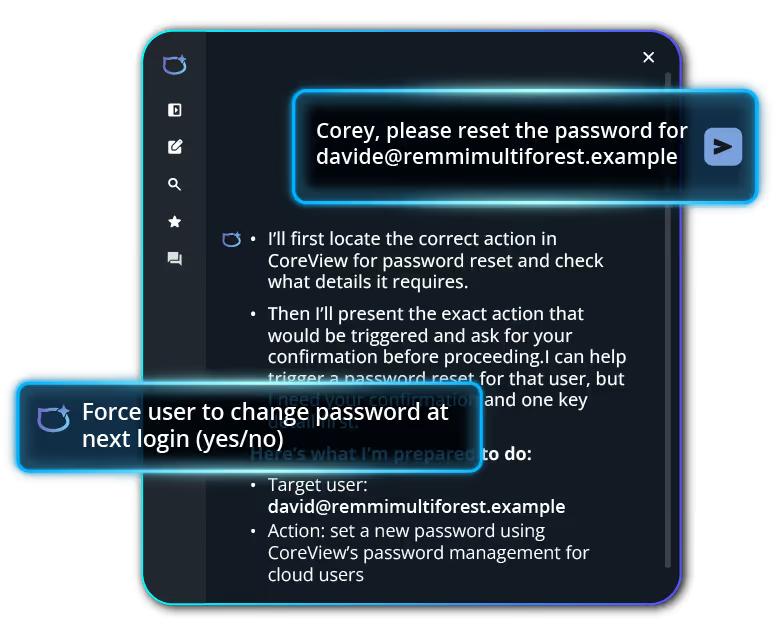
Use AI to handle Password Resets​

Corey AI dialogue box showing a prompt to request to reset the password for a user using their email address to identify them
Password resets and access issues account for 20-50% of helpdesk tickets - and they never stop coming.

​​Ask Corey to reset a password, add a user to a group, grant access to a shared mailbox, or troubleshoot an MFA issue. Corey drafts the change, shows exactly what it plans to do, and waits for your approval.

​​Your senior admins stop fielding requests they’re overqualified to handle.​

See Corey in action

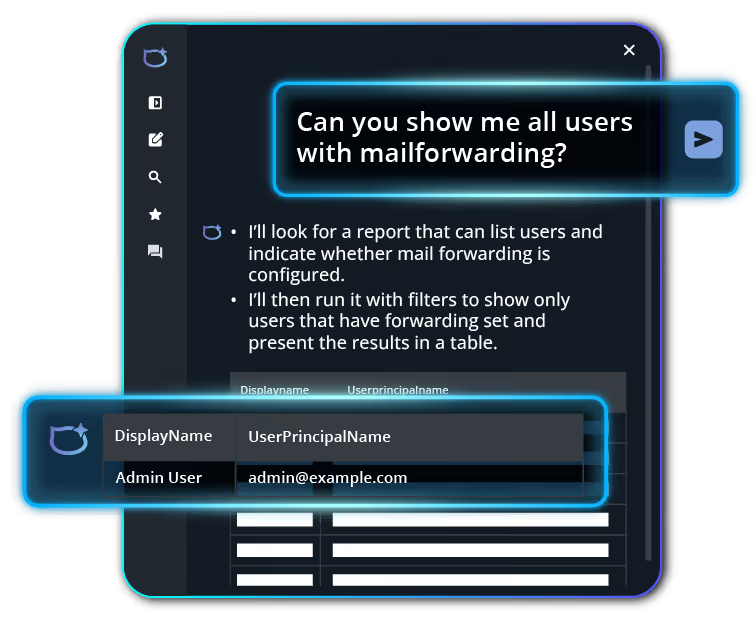
Fewer mistakes, fewer breaches

Corey AI dialogue box showing a prompt to request to show all users with mail forwarding
With 18+ admin interfaces, 10,000+ configuration details, and 60+ workloads, it’s almost impossible for admins to understand every part of a M365 tenant. Add to this the constant updates that keep moving functions around, and you’ve got a recipe for misconfigurations and errors. ​

These mistakes, over time, contribute to a weakened security posture and directly correlate to breach success.

​Corey removes this risk. Admins simply ask Corey and the task is completed programmatically, driving the risk down to zero. The total impact is faster service delivery, happier admins, and less data breaches. ​

See Corey in action

AI administration for M365, on your terms.

The work is already there. 

Let Corey handle it within the boundaries you set.
See Corey in action
Corey hard at work helping a Microsoft 365 admin to complete a number of different tasks

Frequently asked questions

FAQ icon depicting a question mark inside a speech bubble

How is Corey different from generic AI tools like ChatGPT or Copilot?

Corey is purpose‑built for Microsoft 365 security, governance, and administration, not general knowledge tasks. It operates inside the CoreView platform, respects CoreView scopes, roles, and permissions, and is designed to answer and execute M365‑specific questions and actions (licenses, users, security, configurations), rather than open-ended prompts.
FAQ icon depicting a question mark inside a speech bubble

Does Corey respect our organization’s AI governance and permission model?

Yes. Corey enforces existing CoreView role-based access control (RBAC) and v-tenant scoping. It can only access data and perform actions within the permissions of the logged-in user. This ensures consistent governance and enables safe delegation beyond tenant administrators.
FAQ icon depicting a question mark inside a speech bubble

Where is our data processed when we use Corey?​

Corey supports Data Zone inference in the US and EU. In regions like Canada and Australia, Corey currently uses global processing aligned with Microsoft’s AI infrastructure availability.
FAQ icon depicting a question mark inside a speech bubble

Does Corey store or retain customer data or prompts?​

No. Corey does not retain prompts or responses beyond what is required to process the request. Data is processed transiently at runtime and is not stored for training or reuse.
FAQ icon depicting a question mark inside a speech bubble

Can we disable Corey?​

Yes. Corey can be enabled or disabled at any time through platform settings. Organizations can also choose to enable Corey only for selected CoreView operators.
FAQ icon depicting a question mark inside a speech bubble

​Can we restrict what Corey can do?​

Yes. Corey supports a read-only (reporting) mode by default. Management actions must be explicitly enabled by an administrator through platform settings, giving organizations full control over execution capabilities.
FAQ icon depicting a question mark inside a speech bubble

​How do I control what Corey has access to?

Corey inherits access from CoreView’s Virtual Tenant architecture. Administrators can define granular scopes (v-tenants) to restrict visibility and actions across users, groups, workloads, and configurations. Corey cannot operate outside these boundaries.
FAQ icon depicting a question mark inside a speech bubble

What can I ask Corey?​

Admins commonly use Corey for:​
  • Security investigations (risky users, failed sign‑ins, forwarding rules)
  • Incident response actions (lock users, reset passwords, revoke authorization)
  • Inactive users and access cleanup
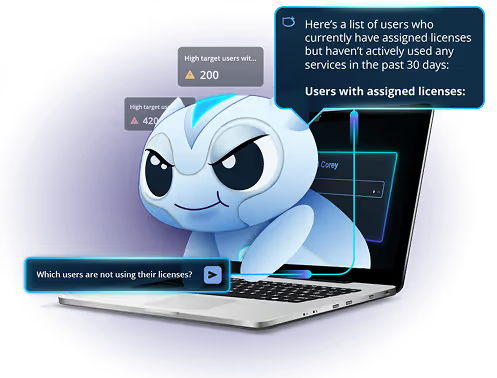
  • License optimization and unused license detection
FAQ icon depicting a question mark inside a speech bubble

How does Corey help during a security incident?​

Corey enables rapid investigation and response by surfacing risky users, anomalous sign-ins, and misconfigurations in real time. Administrators can take immediate actions to remediate issues directly from the same interface, reducing response time and operational friction.
FAQ icon depicting a question mark inside a speech bubble

Will Corey replace IT admins?

No. Corey is designed to augment IT teams, not replace them. It helps administrators work faster by accelerating common tasks, simplifying complex queries, reducing manual effort, and lowering the learning curve required to operate across Microsoft 365.

By making information and actions easier to access through natural language, Corey can also help reduce the risk of human error in day-to-day administrative work. All actions remain user-initiated and governed by existing permissions and controls.
FAQ icon depicting a question mark inside a speech bubble

How does Corey prevent incorrect actions or “AI hallucinations”?

Corey operates on structured Microsoft 365 data and predefined administrative operations. It does not generate speculative outputs or take autonomous actions. All results are grounded in real tenant data and executed deterministically.
FAQ icon depicting a question mark inside a speech bubble

Does Corey integrate with Microsoft Copilot or replace it?

Corey complements Microsoft Copilot. While Copilot focuses on end-user productivity, Corey is designed for administrative control, governance, and execution across Microsoft 365. It provides capabilities that are not available in Copilot, such as tenant-wide visibility, policy enforcement, and operational actions.
FAQ icon depicting a question mark inside a speech bubble

Can Corey take actions automatically?

No. Corey does not operate autonomously. All actions require explicit user input and are executed within defined permissions and governance controls.
FAQ icon depicting a question mark inside a speech bubble

Is Corey safe to use in production environments?

Yes. Corey is designed for enterprise environments with strict governance requirements. It enforces RBAC, supports read-only mode, and ensures all actions are auditable and permission-scoped.
FAQ icon depicting a question mark inside a speech bubble

Are Corey actions logged and auditable?

Yes. All actions executed through Corey are tracked within CoreView audit and activity logs, ensuring full traceability and compliance with enterprise governance standards.
FAQ icon depicting a question mark inside a speech bubble

Can Corey be used by non-admin users?

Yes. Corey can be assigned to delegated operators using CoreView roles and v-tenants. This allows organizations to extend access safely without granting full administrative privileges.
FAQ icon depicting a question mark inside a speech bubble

Does Corey require additional setup or training?

No. Corey works out of the box within CoreView. Users can start asking questions immediately using natural language, with no configuration required.