For state, local and federal IT teams

When Microsoft 365 is disrupted, public services are disrupted

Your mission-critical services depend on a Microsoft 365 environment your teams can secure and control. CoreView helps you segment agencies, secure identities, and restore approved settings quickly.


Trusted by government agencies worldwide...

...including 81% of North American states and provinces using CoreView
Greyscale image of the State of South Carolina's logoGreyscale image of the State of Ohio's logoGreyscale image of the province of Quebec's logoGreyscale image of the State of Tennessee's logo
Greyscale image of the State of Iowa's logoGreyscale image of the Australian government's logoGreyscale image of the State of Oregon's logoGreyscale image of the State of Pennsylvania's logo
Greyscale image of NHS Scotland's logoGreyscale image of the State of Missouri's logoGreyscale image of the State of Florida's logoGreyscale image of the State of Arkansas' logo
CoreView’s achievement of GovRAMP Ready verification for CoreView ONE underscores a strong commitment to GovRAMP’s mission of advancing standardized security and risk management across the public sector.
CoreView is demonstrating leadership in enabling SLED organizations to operate with greater confidence in the cloud.  Valuable partners like CoreView help strengthen trust and accountability across the GovRAMP ecosystem.
– Tony Sauerhoff, GovRAMP Board President, Texas Department of Information Resources Executive Director and State Chief Information Officer

In the public sector, Microsoft 365 tenants are
more complex, more fragile, and harder to recover

Too many people have too much access

Multiple departments in a single tenant, inherited roles, and long-standing exceptions make it easy for users to have more access than they need.

More unauthorized changes
Wider blast radius

​One bad change can spread fast​

A role update, policy edit, or deleted setting can weaken protections or interrupt access across departments before anyone spots the problem.​

Service disruption
Public scrutiny

Restoring the prior state is manual​

When a critical setting changes, most teams still have to reconstruct the previous configuration from logs, tickets, and screenshots before they can fix it.​

Longer recovery
Audit exposure

Weak Microsoft tenant controls have public consequences

Recent incidents show how weak change control in Microsoft 365 can lead to service disruption, security gaps, and audit exposure.
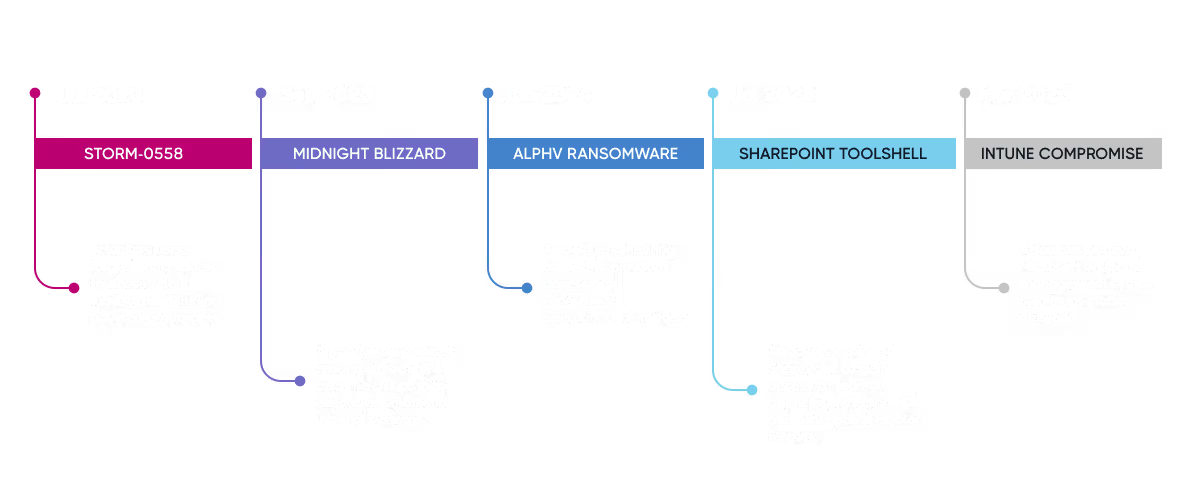
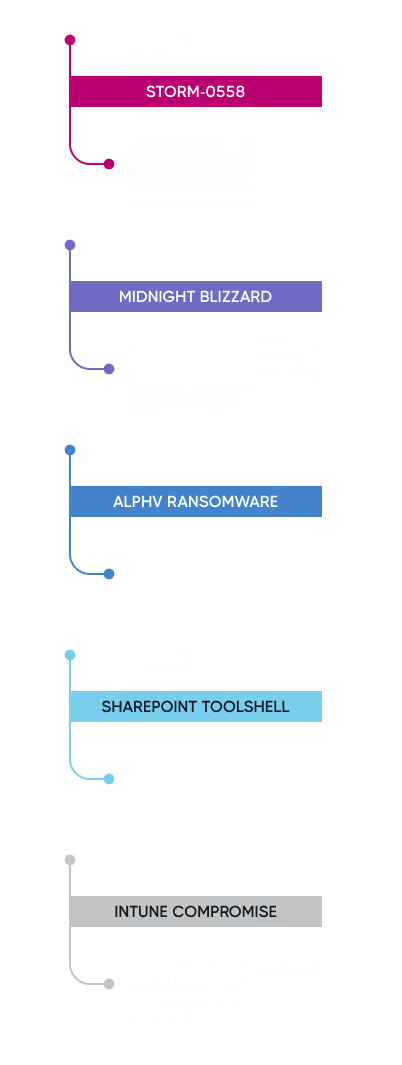
Timeline depicting the stages of the Microsoft Midnight Blizzard breach from July 2023 to March 2026Timeline depicting the stages of the Microsoft Midnight Blizzard breach from July 2023 to March 2026

Microsoft took weeks to detect Midnight Blizzard in its own tenant. That’s a warning that your team needs more than native Microsoft logs to trace what changed and recover fast.

What government teams need to secure Microsoft 365 and how CoreView helps

Anticipate, withstand, and recover from attacks in Microsoft 365 and Entra

Lockdown Microsoft tenant settings
CoreView...
  • Flags drift from approved baselines
  • Tracks changes to critical settings
  • Highlights risky configuration changes
Learn more
Reduce excess access & privilege
CoreView...
  • Shows privileged roles across the tenant
  • Flags stale or excessive access
  • Tracks changes to role assignments
Learn more
Detect unauthorized changes & drift
CoreView...
  • Records who changed what and when
  • Flags unexpected policy and role changes
  • Compares current settings to approved states
Learn more
Restore approved settings
CoreView...
  • Compares current settings to prior states
  • Restores key configurations faster
  • Retains change history for audits
Learn more

How the State of Iowa centralized Microsoft security and oversight across nine tenants

As Iowa centralized IT across agencies, the team needed tighter oversight of tenant changes, elevated access, and app dependencies across nine Microsoft 365 tenants. With CoreView, the team was able to:​

  • ​Centralize oversight across 9+ tenants​
  • Review and remove temporary elevated access​
  • Faster reporting for IT and security teams​
See the full case study

“CoreView provides a single view across multiple tenants, helping the department act as the overarching IT provider while still accommodating agency-specific requirements.”

– Doug Maxfield, Microsoft 365 administrator, State of Iowa

30K+
government agencies in North America

$200K

saved (unused licenses)

285

tasks automated over 7 months

How one Canadian province turned a 300,000-account Microsoft 365 tenant into 51 manageable ones ​

Managing Microsoft 365 across dozens of regions, hospitals, and care facilities in a single tenant had become unworkable. Standard administrative roles lacked the granularity the province needed and manual processes couldn't keep up with the scale. With CoreView, the team was able to:​

  • ​Divide one 300,000-account tenant into 51 virtual tenants by entity​​
  • Apply least privilege access across every department and region​
  • Automate up to 28,000 management actions per month​
See the full case study
30K+
government agencies in North America

$200K

saved (unused licenses)

285

tasks automated over 7 months

How the State of Iowa centralized Microsoft security and oversight across nine tenants

As Iowa centralized IT across agencies, the team needed tighter oversight of tenant changes, elevated access, and app dependencies across nine Microsoft 365 tenants. With CoreView, the team was able to:​

  • ​Centralize oversight across 9+ tenants​
  • Review and remove temporary elevated access​
  • Faster reporting for IT and security teams​
See the full case study

“CoreView provides a single view across multiple tenants, helping the department act as the overarching IT provider while still accommodating agency-specific requirements.”

– Doug Maxfield, Microsoft 365 administrator, State of Iowa

30K+
government agencies in North America

$200K

saved (unused licenses)

285

tasks automated over 7 months

How one Canadian province turned a 300,000-account Microsoft 365 tenant into 51 manageable ones ​

Managing Microsoft 365 across dozens of regions, hospitals, and care facilities in a single tenant had become unworkable. Standard administrative roles lacked the granularity the province needed and manual processes couldn't keep up with the scale. With CoreView, the team was able to:​

  • ​Divide one 300,000-account tenant into 51 virtual tenants by entity​​
  • Apply least privilege access across every department and region​
  • Automate up to 28,000 management actions per month​
See the full case study
30K+
government agencies in North America

$200K

saved (unused licenses)

285

tasks automated over 7 months

How your government agency can get started with CoreView

1

Connect your tenant

Read-only to start. Works in Commercial, GCC, GCC High, DoD. No changes to your environment.

2

Keep a continuous record

Every setting that governs access, sign-in, sharing and retention — recorded on a timeline.

3

Know the moment it drifts

Plain-language alerts in email, Teams, ServiceNow or your SIEM. Who changed what, and when.

4

Restore with one click

Pick any date. Roll back a single rule or the whole tenant to its last-known-good state.

5

Standardize across agencies

Compare tenants across departments, districts or campuses. Promote one "gold" baseline everywhere.

What government agencies are saying about CoreView

At the state level, we manage 30 different agencies… With our limited staff, it would be
impossible to maintain all of our configurations compliant without CoreView.

M365 Manager

State Government

I work for 9 elected officials, and we keep their environments separate through Virtual Tenant Segmentation. This avoids one of the worst-case scenarios - that a misconfiguration allows a prosecutor and a public defender access to each other's info, which would affect people's constitutional rights.

CIO

Local Government

We chose CoreView to give us greater visibility into our Microsoft 365 environment, increase automation, and add tenant configuration backup and restore to address a critical security gap in our strategy.

Industry practitioner

Local Government

Built for government agencies that need proof, not promises

The CoreView platform is created to meet the compliance, deployment, residency, and Microsoft ecosystem requirements enterprise and public sector teams expect.

“CoreView is demonstrating leadership in enabling SLED organizations to operate with greater confidence in the cloud.”

– Tony Sauerhoff, GovRAMP Board President, Texas Department of Information Resources Executive Director and State Chief Information Officer


SOC 2 Type II
GovRAMP Premier Partner
Flexible Deployment Options
ISO 27001
In-Region Data Residency
Microsoft Partner

Government Agency FAQ​s

FAQ icon depicting a question mark inside a speech bubble

Are you sure Microsoft doesn't keep a record of our settings?​

Microsoft's shared responsibility model is explicit: Microsoft protects the infrastructure, but your organization is responsible for tenant configuration and access settings. Microsoft does not provide a comprehensive, tenant-wide backup-and-restore capability for Microsoft 365 configurations.
FAQ icon depicting a question mark inside a speech bubble

We already pay for an M365 backup vendor — doesn't that cover this?​

Those vendors back up content (e.g., email, files, chats). They don’t provide comprehensive backup and restore for the tenant settings, policies, role assignments, and access controls that govern how that content is protected.
FAQ icon depicting a question mark inside a speech bubble

Do you have FedRAMP authorization?​

Not at this time. CoreView holds SOC 2 Type II, SOC 3, ISO 27001, ISO 27018, Australian iRAP, and is a GovRAMP Premier Member, with support for a variety of environments.​
FAQ icon depicting a question mark inside a speech bubble

How long does a public sector rollout take?

Connection is read-only and typically takes less than a day. In many environments, configuration data begins populating within 24–48 hours.​​
FAQ icon depicting a question mark inside a speech bubble

Can CoreView manage multiple agencies across separate tenants from one place?

Yes. CoreView is designed for multi-tenant oversight, allowing centralized visibility while keeping each tenant independently tracked. Teams can compare configurations across tenants and push approved settings from a central interface.​
FAQ icon depicting a question mark inside a speech bubble

Can our CISO and compliance team get value from CoreView without being in the tenant every day?

Yes. Security teams and compliance officers can monitor drift, review change history, and export audit reports without holding write access. This is a common model for central IT teams that set policy but don't directly manage individual agencies.​
FAQ icon depicting a question mark inside a speech bubble

Can we delegate admin access by agency without giving anyone full tenant rights?

Yes. Virtual Tenant Segmentation creates scoped boundaries inside your Microsoft 365 environment. Agency admins manage only their own users and settings, not the whole tenant. ​
FAQ icon depicting a question mark inside a speech bubble

Does CoreView cover Intune and service principals?

CoreView covers settings, policies, and roles across major Microsoft 365 workloads, including Entra ID, Exchange Online, SharePoint, Teams, Intune, and service principals. ​
FAQ icon depicting a question mark inside a speech bubble

Do we have to hand you broad access to our tenant?​

No. Read-only to start. Scoped permissions, least privilege, fully documented. We can walk your security team through the exact permissions model before anything is connected.​
FAQ icon depicting a question mark inside a speech bubble

How do we produce evidence for a post-incident investigation or audit?

CoreView keeps a timestamped record of configuration changes. Easily see who changed what, when, and what the previous state was. It's searchable and exportable, reducing the need to manually reconstruct change history from native logs.

What next? Get a clear view of the state of your Microsoft 365 tenant 

See the configuration risks, over-permissioned identities, and operational gaps across your Microsoft 365 environment. Then explore CoreView in the way that suits you – through a hands-on working session or a quick overview to share internally.

Want a closer look?

Book a 30-minute working session with our public sector team. We’ll walk through your tenant with you, without changing anything in your environment.

Book a session

Need something to share first?​

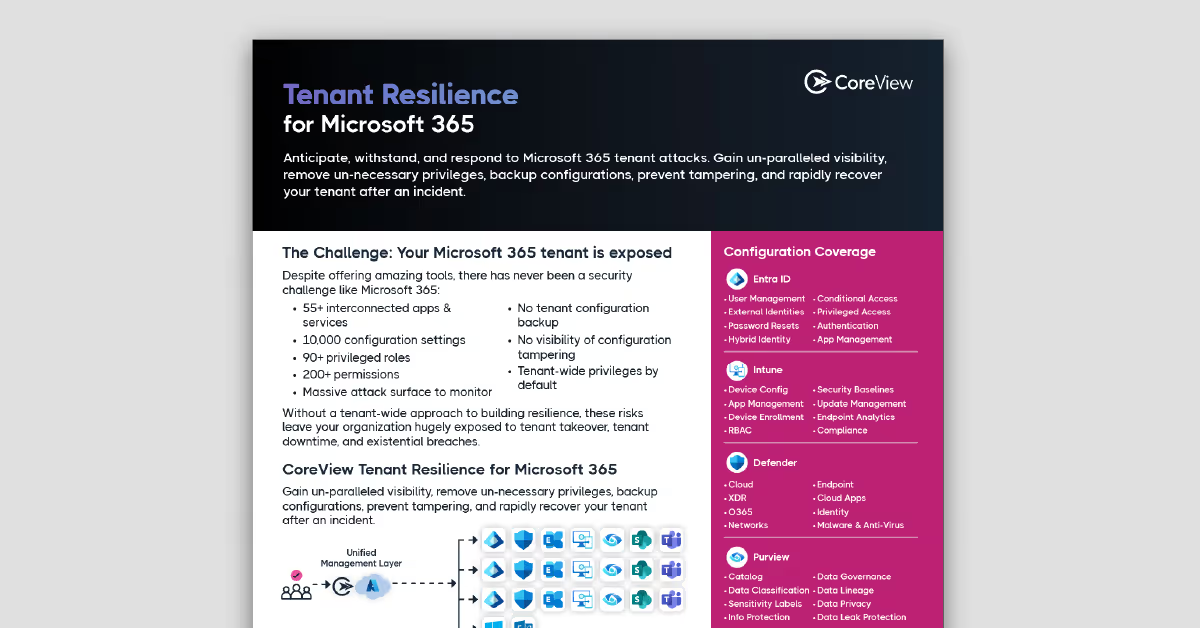
Start with the one-pager and two-minute explainer for your CIO, board, or council. No form. No pitch.​

Download the one-pager